Managing a successful YouTube channel involves more than just creating great videos. If you earn money through AdSense ads, sponsorships, affiliate marketing, channel memberships, or merchandise sales, keeping track of your income is essential.
Our YouTube Income Tracker Excel Template helps creators organize all revenue streams in one place. With automated calculations, charts, and a simple dashboard, you can easily track how much money your channel is generating each month.
This template is perfect for YouTubers, influencers, vloggers, and digital creators who want to treat their channel like a real business.
Why You Need a YouTube Income Tracker
Most creators check their revenue in multiple places such as:
- YouTube Studio (AdSense earnings)
- Affiliate dashboards
- Sponsorship contracts
- Payment platforms like PayPal or bank transfers
This scattered information makes it difficult to see your total monthly earnings and financial growth.
The YouTube Income Tracker Excel Template solves this problem by combining everything into one easy-to-use spreadsheet.
With this tracker you can:
- Track all income sources in one place
- Analyze monthly revenue trends
- Identify your most profitable content
- Prepare reports for taxes or financial planning
- Understand which income streams generate the most revenue
Template Dashboard Preview
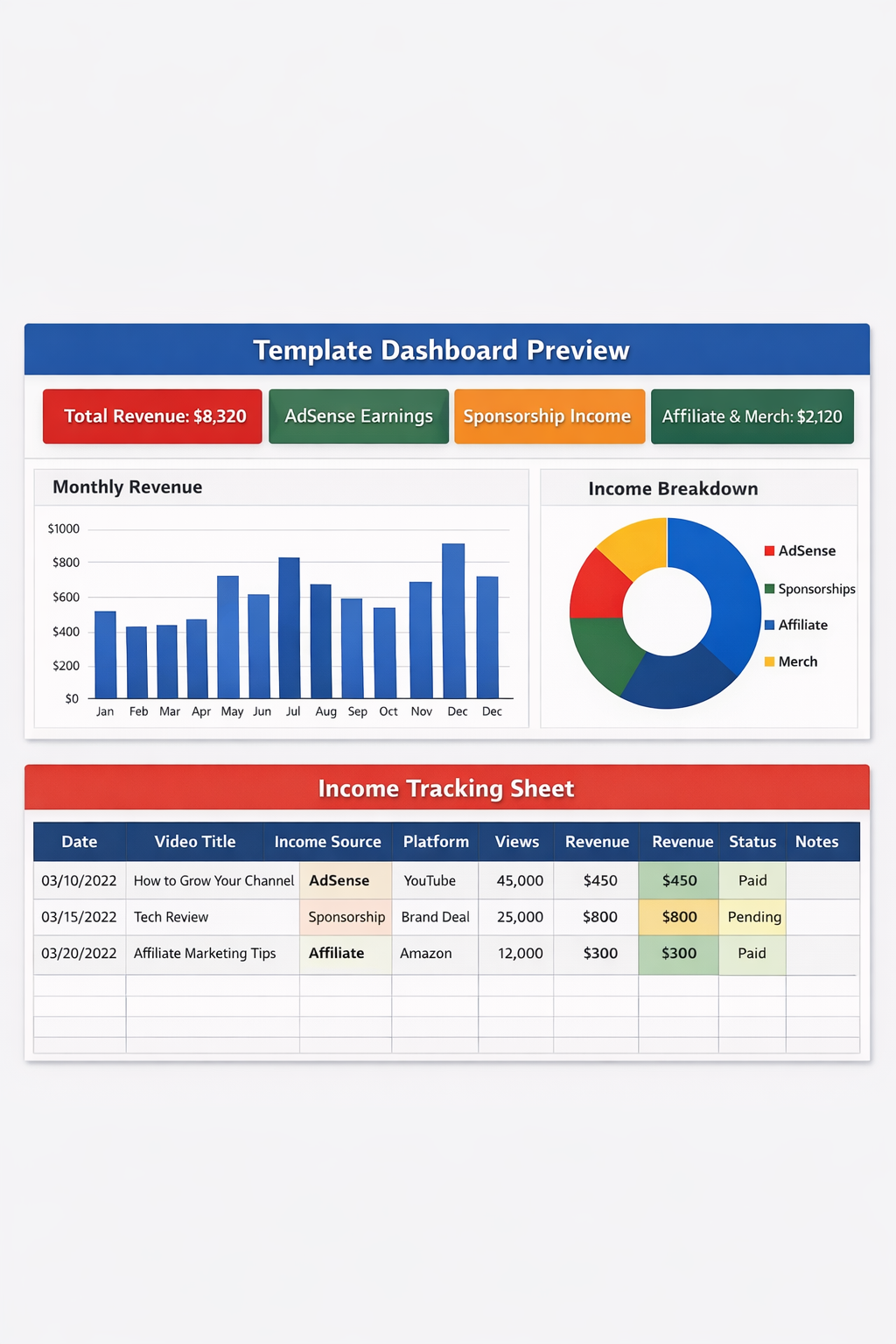
The dashboard provides a quick overview of your creator income including:
- Total monthly earnings
- AdSense revenue
- Sponsorship payments
- Affiliate commissions
- Merchandise sales
What the Excel Template Includes
1. Income Tracking Sheet
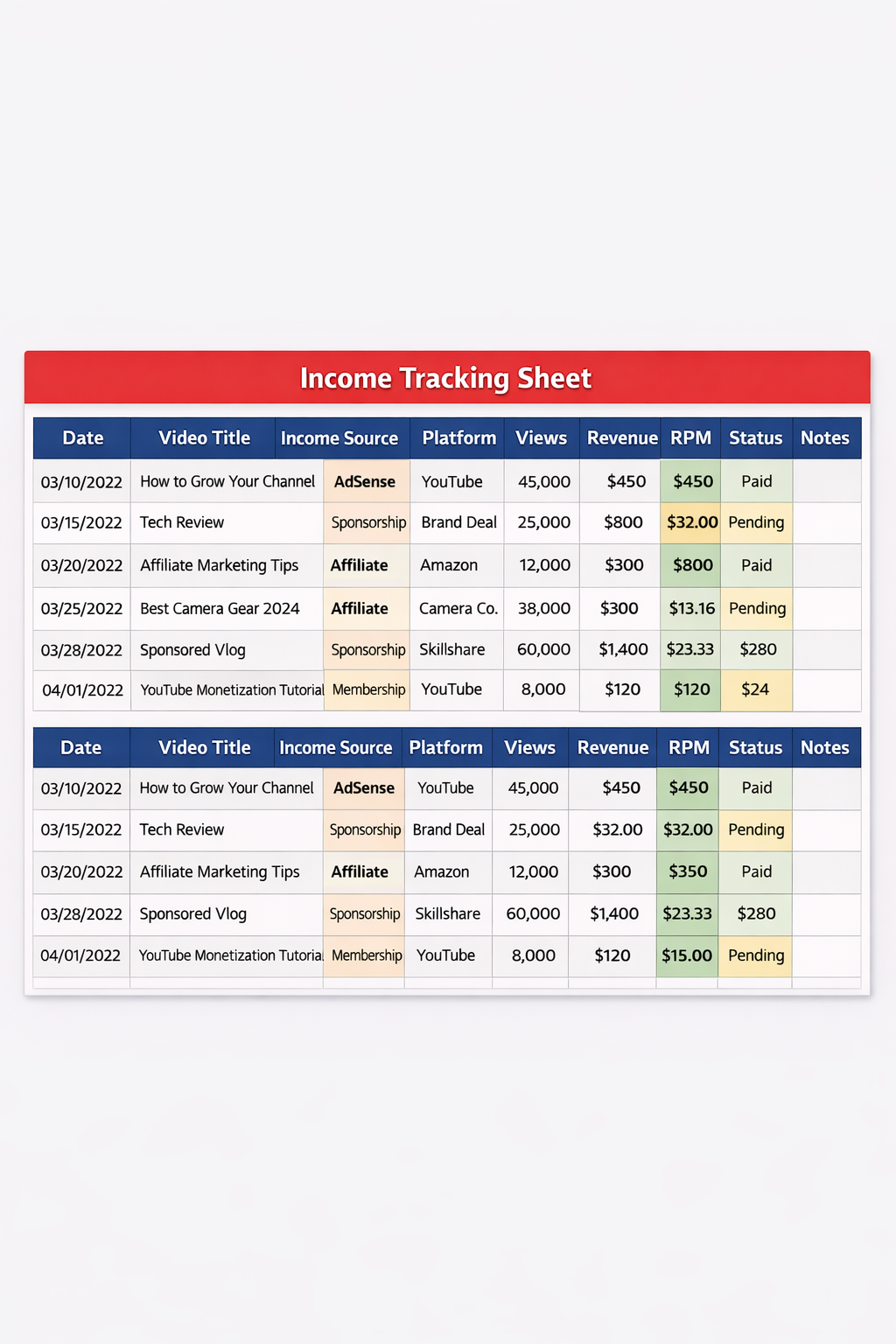
This sheet allows you to log each payment received from your YouTube activities.
Columns included:
- Date
- Video Title
- Income Source
- Platform (YouTube, Affiliate, Brand)
- Amount Earned
- Payment Status
- Notes
All entries automatically update the dashboard charts and reports.
2. Monthly Revenue Summary
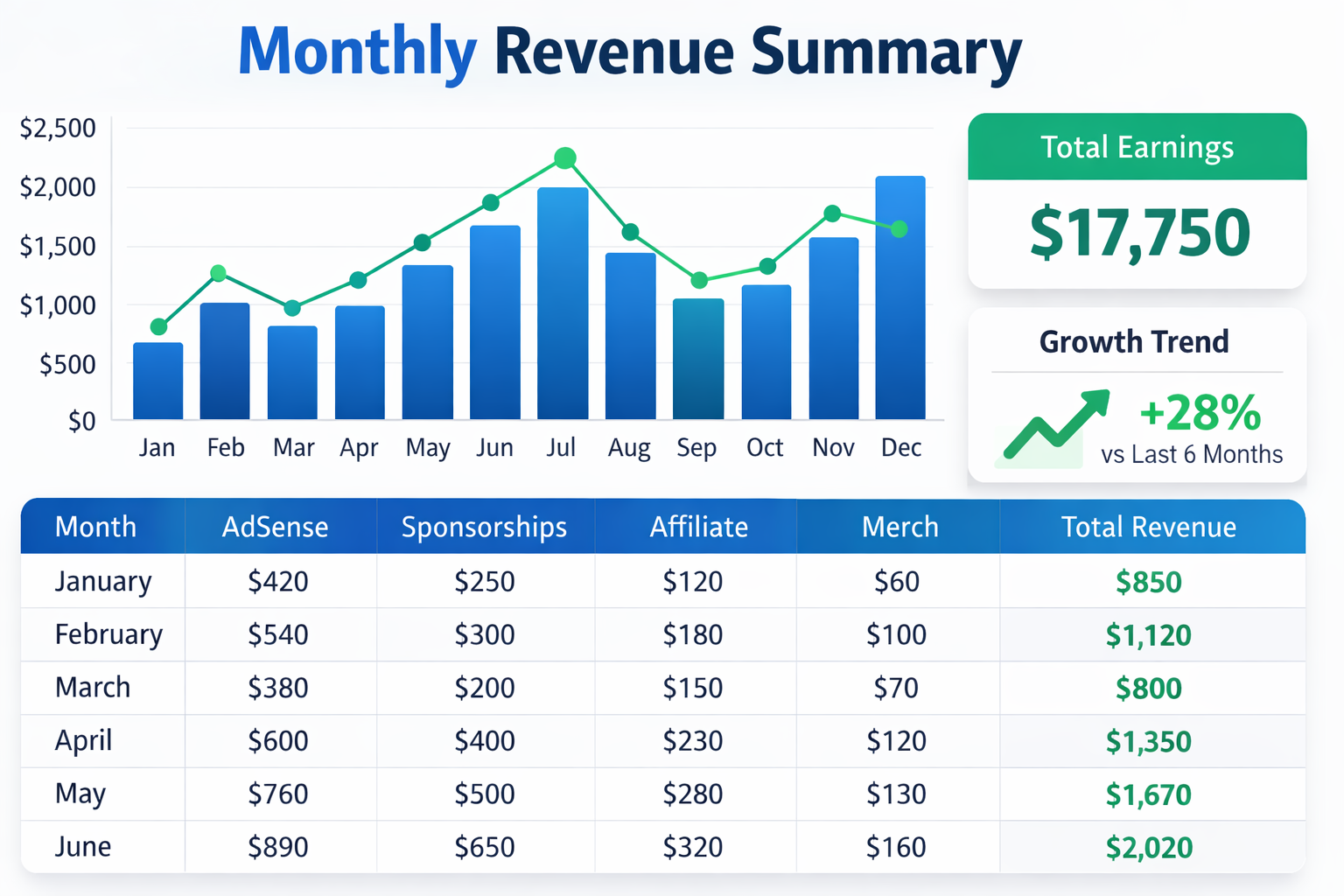
The template automatically generates monthly income summaries, allowing creators to analyze financial growth over time.
This helps identify:
- Best performing months
- Seasonal revenue trends
- Growth of monetization strategies
3. Income Source Breakdown
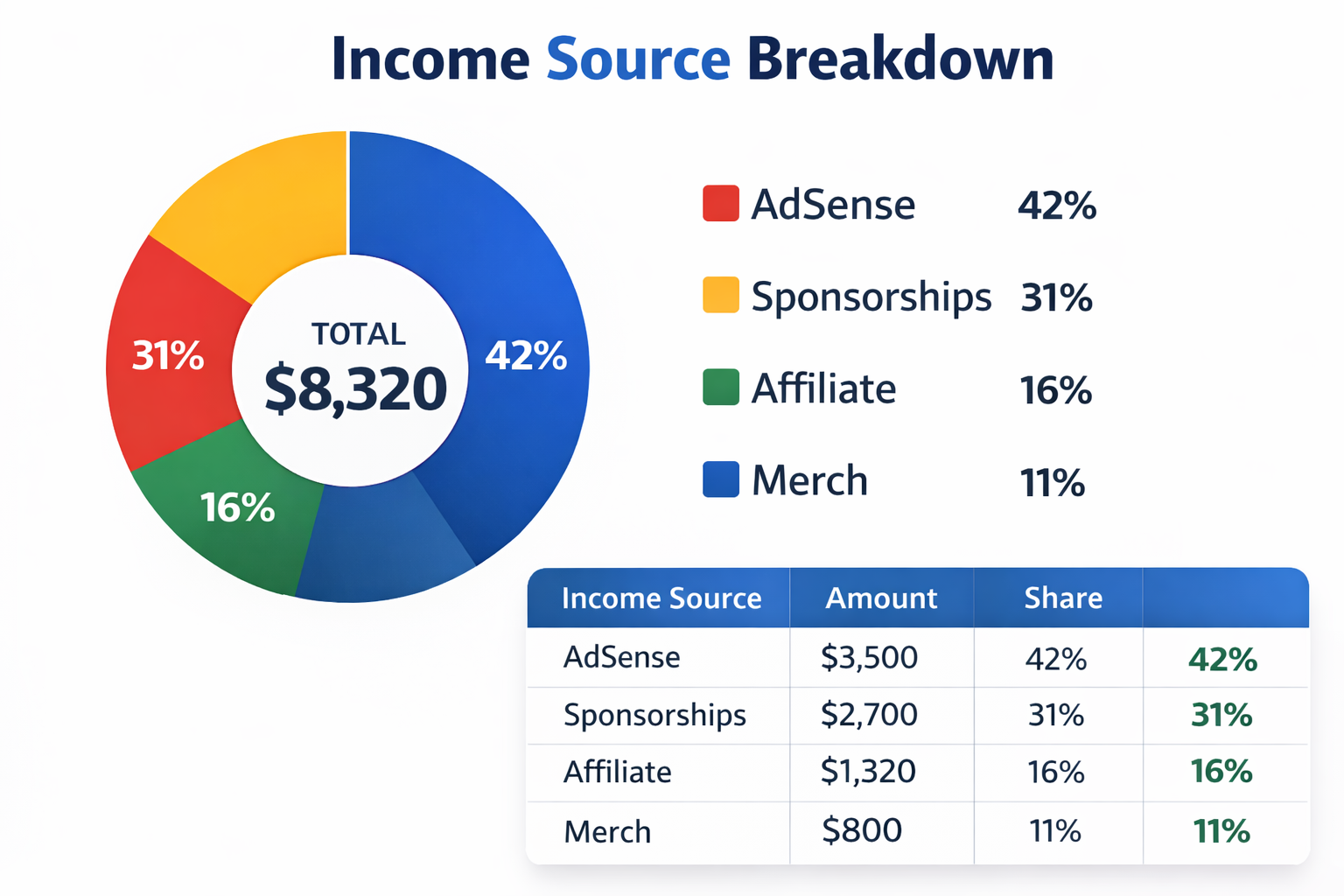
This visual chart shows exactly where your income is coming from.
Typical YouTube income sources include:
- AdSense (YouTube ads)
- Sponsorship deals
- Affiliate marketing
- Channel memberships
- Merchandise sales
How to Use the YouTube Income Tracker
Step 1 – Download the Excel Template
Download the spreadsheet and open it in Microsoft Excel or Google Sheets.
Step 2 – Enter Your Earnings
Each time you receive income from YouTube or related platforms, record it in the Income Tracking Sheet.
Step 3 – Select Income Type
- AdSense
- Sponsorship
- Affiliate
- Membership
- Merch
Step 4 – Monitor the Dashboard
The dashboard updates automatically with charts and summaries so you can track your financial performance.
Who Should Use This Template?
This YouTube income tracker is perfect for:
- YouTube content creators
- Influencers
- Affiliate marketers
- Vloggers
- Podcast creators
- Social media entrepreneurs
Benefits of Tracking Your YouTube Income
- Understand which videos generate the most revenue
- Track sponsorship performance
- Monitor affiliate earnings
- Prepare financial records for taxes
- Make smarter business decisions for your channel
Free Download – YouTube Income Tracker Excel Template
You can download the free template below and start tracking your creator income immediately.
Download YouTube Income Tracker Excel Template
Frequently Asked Questions
Is the YouTube income tracker free?
Yes. The Excel template is completely free to download and use.
Can I use this template in Google Sheets?
Yes. Simply upload the Excel file to Google Drive and open it with Google Sheets.
What income sources can I track?
You can track AdSense revenue, sponsorship payments, affiliate commissions, memberships, merchandise sales, and any other creator income.
Final Thoughts
If you want to treat your YouTube channel like a real business, tracking your income is essential. The YouTube Income Tracker Excel Template makes it easy to organize all revenue sources and visualize your financial growth.
With automated calculations, a clean dashboard, and simple tracking sheets, this tool helps creators focus on what matters most — creating great content while growing their income.